
Running a Washington Statewide Case Search
Washington Courts Case Search is the statewide locator for Washington court records. First pick a court level: District and Municipal, Superior, or Appellate. Then choose a search type and enter a name, case number, or business name. The form demands both the level and the type, and the court and case-type filters shift depending on which level you picked. Treat the results as an index, not a county register. Use what you find to identify the filing court. Then request that Washington court's docket or documents directly.
The mechanics are simple. Pick the level and type, set the court and case filters, and type a matching name or number. Clear the CAPTCHA, then hit Search. The Year Filed In/After field starts at 1975 and offers annual options through 2026. Results can be narrowed by the categories on screen. AOC promises no export function and no fixed match count.
| Form field | What the Washington search accepts | Coverage or entry note |
|---|---|---|
| Select Court Level | District and Municipal; Superior; Appellate | Required; changes Washington court and case-type fields. |
| Select Search Type | Name; case number; business name | Required; Washington person search asks for first and last names. |
| Court Name | Superior county court; named District or Municipal Court; appellate court | Required by level. Washington lower courts appear individually, not in a county dropdown. |
| Case Type | Superior: Civil, Criminal, Domestic, Probate/Guardianship. District/Municipal: Civil, Criminal Felony, Criminal Non-Traffic, Criminal Traffic, Infraction Non-Traffic, Infraction Traffic, Probable Cause, Small Claim. | Required for Washington Superior and lower-court queries. No statewide citation-number field. |
| Year Filed In/After | Year selector from 1975 | Required by AOC instructions; options through 2026 at inspection. |
| First Name and Last Name | Name on the Washington case | Both required for person search. |
| Business Name | Business name | Required for Washington business search; matching behavior is unspecified. |
| Case Number | Number on court paperwork | Required for number search; Washington has no universal local format. |
| I'm not a robot | CAPTCHA | Required access check, not a filter. |
| Search / Clear / info | Submit, reset or open field help | Washington results show case number, filing date, type, location and party name, not a guaranteed outcome or document. |
Superior Court coverage spans the whole state. Its dropdown lists Adams, Asotin, Benton, Chelan, Clallam, Clark, Columbia, Cowlitz, Douglas, Ferry, Franklin, Garfield, Grant, Grays Harbor, Island, Jefferson, King, Kitsap, Kittitas, Klickitat, Lewis, Lincoln, Mason, Okanogan, Pacific, Pend Oreille, Pierce, San Juan, Skagit, Skamania, Snohomish, Spokane, Stevens, Thurston, Wahkiakum, Walla Walla, Whatcom, Whitman and Yakima. On the appellate side, the choices are simple. Pick the Supreme Court or Court of Appeals Divisions I, II and III. The lower-court list adds named District and Municipal Courts. Their divisions, violations bureaus, and Washington Tribal Court round it out.
The statewide page notes that its data refresh within a 24-hour time frame. A result helps you locate a case. It is not a certification, and it does not guarantee that every local event appears.
The state search form shows the court-level selector ahead of the query fields.
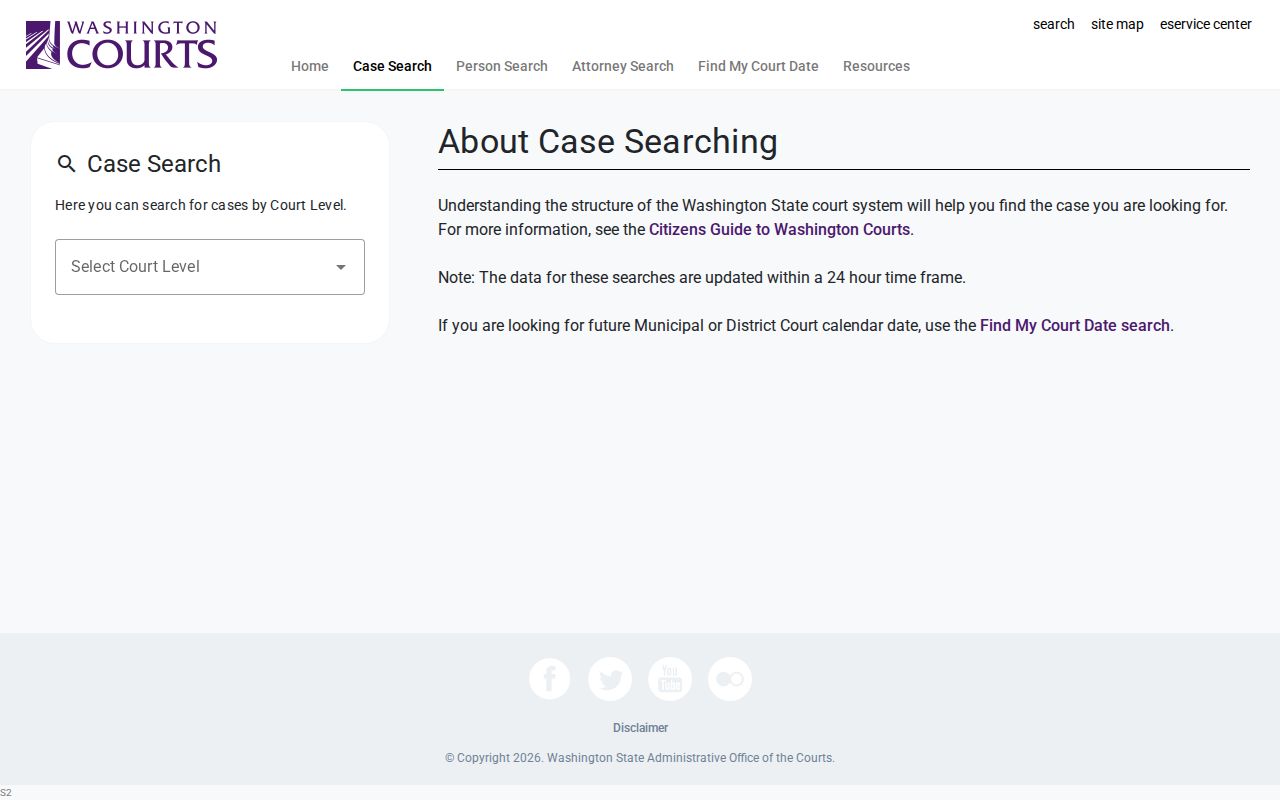
On the Washington screen, the court level comes before any name or case number field.
Note: the court-level selector drives every later choice, so match it to the court printed on your case papers.
How to Search a Washington Name in Odyssey
Odyssey is Washington's separate portal for Superior Court case management. In Washington Smart Search, type a party as Last, First Middle, or paste the exact case number. A trailing asterisk works as a wildcard for partial names and numbers, with minimums of one character for a first name, three for a last name, and four for a case number. Capitalization does not matter. Hyphenated surnames are a trap. Run variants separately. Per Washington AOC, drop the dash and enter two terms.
The "Sounds Like" Soundex option widens name matches but cannot be paired with a wildcard. Anonymous users cannot use wildcards at all. They also cannot view document images, according to the Washington March 2026 guide. The County Clerk assigns registered access roles. Whether a document shows up also hinges on the county's Odyssey Document Manager and any record restrictions. A common surname can pull hundreds of hits.
Coverage has limits. Odyssey serves only participating Washington Superior Courts. It leaves out King and Pierce Superior Court along with every District and Municipal docket. The Washington county directory can route a state result to the clerk who confirms the local file.
The Odyssey Portal landing page shows the separate Smart Search, Search Hearings and Judgment Search entry points.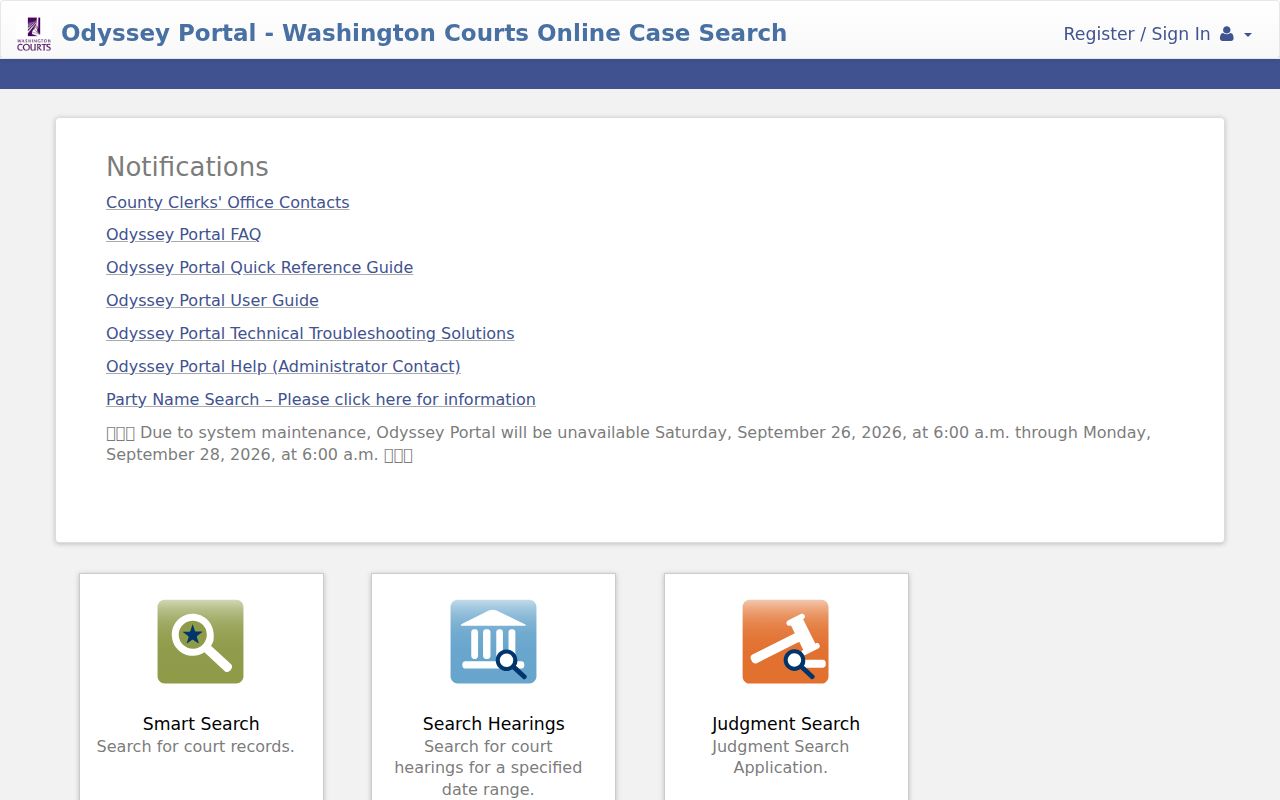
The portal splits its tools by task. A case lookup, a future hearing search, and a judgment search each pull from different courts, so check which ones report to the tool you're using.
Washington Case Number Searches
A case number is usually the sharpest search term in Washington. But the state has more than one numbering history and no universal decoder. Washington AOC's Odyssey example is 15-1-80304-21. The same case in its Lewis County example carries the older SCOMIS number 15-1-80304-7. The pattern difference matters. Odyssey ends in a two-digit county code. The older SCOMIS number ends in a single check digit that says nothing about the county.
Enter the number exactly as printed on the notice, order, or other court paperwork. Search the court named there. One filing can carry cross-references under both legacy and Odyssey numbers. Appellate cases follow numbering systems of their own. Never strip punctuation or guess a court from another county's example. A search can come up empty. Recheck the court level, location, and year, then ask the local clerk whether the older identifier has a cross-reference.
Washington's 24-Hour Case Search Refresh
Washington's index refreshes within a 24-hour time frame. That lag is a reason to retry a recent filing rather than a promise of any posting hour or complete result. A local Washington docket often carries more detail. The state search offers no filed documents and no official verification of a disposition.
If a Washington filing is recent: verify the case at the filing court, then contact its clerk if the local register or notice is unclear. A blank or unchanged state result does not confirm that no filing occurred.
Washington's notice covers the state index, not the refresh cycle inside Odyssey. So a fresh entry can sit in the local docket first. The state list catches up later.
Do not trust a blank or stale result. Check with the filing court. Its clerk or register of actions is the reliable word on what a docket shows today.
What a Washington Case Search Returns
A Washington state result tells you the case and the court. The columns show case number and filing date. Case type, location, and party name appear too. AOC supplies help, Search, and Clear buttons plus controls to filter or rearrange categories. Some fields stay restricted. So the result won't verify the latest disposition or link every filed paper.
| Case number | The Washington court identifier. Use the exact number because Odyssey and older systems differ. |
|---|---|
| Filing date | Case-result date, not the filing stamp on a Washington document. |
| Type | Washington court classification; Superior and lower courts use different lists. |
| Location | The Washington court or location, used to find the correct clerk. |
| Party name | A person or business linked to the Washington result; verify against the case file. |
| Disposition and documents | No statewide outcome verification or copies. Check the local Washington register and request papers from its clerk. |
Two tools shape a Washington case search. Odyssey's Register of Actions and Documents can open a wider Superior Court view, though what you see depends on the county, your user role, and access limits. Washington Case Search itself does not promise those local fields.
Washington Appellate Case Number Search
An appeal opens a second Washington docket with its own appellate case number. The trial court's register may list a notice of appeal. Yet the Supreme Court or Court of Appeals file stays a separate record. So search the right court with the right number. For intermediate appeals, try the Court of Appeals public document search. For the high court, use the Supreme Court public document search. Both portals are free and need no registration. Coverage runs for appellate cases filed January 1, 2020 or later. Sealed and confidential materials stay out. The portal holds no trial docket. It carries no trial-court papers. For those, go back to the originating Washington court's local register or clerk.
Washington Statewide vs County Search
Split the work. Washington Case Search tells you which court anywhere in the state holds a case. The court's own portal or clerk supplies the current register, a document image, or a certified copy. Washington Courts itself calls the index reference material. It points users to the filing court for anything complete. The Washington county directory connects you to that local system.
| Source | What it can show | Coverage and limit |
|---|---|---|
| Washington Courts Case Search | Case, filing date, type, location and party | 24-hour index update; no complete register, filed papers or certified copies. |
| Washington Odyssey | Superior case information, hearings, register and some documents | 37 counties; images need a registered, clerk-authorized role and Document Manager. |
| King Clerk / Pierce LINX | Local Washington Superior Court records and documents | Separate county systems, not statewide. |
| Washington District or Municipal Court | Local docket or connected JIS data | Outside Odyssey. King and Kitsap have separate systems; other local access varies. |
| Washington appellate portal | Public electronic appellate documents and docket | Case number required; public cases filed after January 1, 2020. No sealed or trial files. |
| Washington court clerk | Official docket, filed papers and certified copies | Ask the court of record about access, availability and copy fees. |
Washington Odyssey Excludes Two Superior Courts
Odyssey covers 37 Superior Court counties in Washington. King and Pierce sit outside it on separate systems. King County Superior Court runs its Clerk portal, and Pierce uses LINX. A state search can still name the filing court. But no amount of repeated Odyssey searching will surface those two counties' files. Odyssey is also not a District or Municipal docket. King County and Kitsap District Courts keep their own sites. Other limited courts rely on local access, the state index, or JIS. JIS-Link is a paid option. It ties Washington case data and docket entries together, though it carries no document images. In participating counties, an anonymous user sees case information but not documents. Registered access turns on clerk authorization and Document Manager support. And an online view is never a certified copy. Local portals are maintained separately. So access and account rules can differ even between neighboring jurisdictions.
Restricted Cases in Washington
A blank result proves nothing. Washington Case Search leaves out sealed or confidential matters, and statewide public indices exclude juvenile offender records. Washington GR 15 lets a court seal an entire file or single documents while leaving only thin index metadata behind. Under GR 22, a family, protection-order, guardianship, or therapeutic-court caption can be public while its attachments stay protected. There are innocent explanations too. The 24-hour update window may simply lag. A court outside portal scope, a spelling variation, a legacy number, or a local-only event can all hide a case. Check the court level and county. Retry the exact number or another name form, then ask the clerk what is public. RCW 13.50 access turns on the juvenile record class. A website exclusion never settles what the courthouse will release.
When a Washington Case Search Is Blank
A blank Washington case search is rarely the end of the road. First, check the basics again. Court level, court name, and filing year all have to match. Spell the party's name exactly as it appears on the notice. Keep the number as written. A hyphenated last name can throw off a docket search, and SCOMIS and Odyssey do not always format case numbers the same way. Also remember that the state index can run behind a local system. Sealed, confidential, and some juvenile cases are left out by design.
Next, try the local path. That means Odyssey in a participating Superior Court county. It could also be the King Clerk portal, Pierce LINX, or the named District or Municipal Court site. Still nothing? Call the clerk or coordinator listed in the court directory. Give them the court and case number. Then ask whether the Washington case is indexed somewhere else or restricted from public view. When a result lacks enough detail to locate the file, Washington clerks can point you to their local public-record request procedures.